By clicking “Accept”, you agree to the storing of cookies on your device to enhance site navigation, analyze site usage, and assist in our marketing efforts. View our Privacy Policy for more information.
8 Best Third-Party Risk Management Software 2026: TPRM Tools Compared
This guide compares the best third-party risk management software. It explains where each platform fits, the trade-offs to consider and what security teams should test before creating a shortlist.
Risk Ledger
|
Company
October 6, 2026
|
25
mins read
Share
Updated 6 October 2026: added new vendor, full methodology, use-case guidance and a vendor checklist, and refreshed competitor capabilities against current product documentation.
Quick answerThe best third-party risk management (TPRM) software is the platform whose operating model matches your programme, whether that is network-based supplier assurance, multi-domain governance, configurable enterprise workflows, monitoring-led cyber risk or compliance-led vendor review. No single platform suits every team, so shortlist by the problem you need to solve first.
Risk Ledger, OneTrust, ProcessUnity, UpGuard, SecurityScorecard, Bitsight, Panorays and Vanta cover the main operating models security teams evaluate.
Evidence reuse, continuous monitoring and fourth-party visibility appear in several of these platforms, and how each works in practice varies more than whether it is listed.
Supplier participation and evidence freshness affect outcomes as much as the feature set does.
Test any shortlisted platform against your own supplier list, including suppliers who are slow to respond.
Licence price is only part of the cost, with implementation, data feeds and analyst time adding to it.
Most security teams choosing TPRM software have plenty of options and limited people to run whichever one they pick. A large organisation can still have one or two people handling supplier assurance alongside other work. They send questionnaires that suppliers have already answered for other customers, and the evidence collected at procurement often goes unrevisited once the contract is signed. The right platform reduces that work. It leaves the actual risk decision with your team: whether a supplier is acceptable for the service it provides.
The eight platforms covered in this guide are:
Risk Ledger: best for security-led supplier assurance with reusable evidence and visibility into shared dependencies
OneTrust: best for cross-functional third-party governance across security, privacy and compliance
ProcessUnity: best for mature programmes that need configurable, multi-domain TPRM workflows
UpGuard: best for cyber teams that want external monitoring and automated assessments in one workflow
SecurityScorecard: best for portfolio-level cyber visibility with threat-informed assessment
Bitsight: best for enterprise cyber programmes that prioritise ratings and external intelligence
Panorays: best for combining supplier assessments with attack-surface findings
Vanta: best for automated vendor reviews alongside compliance and trust workflows
*Vendors are in no particular order, each platform supports a different operating model.
How we compared: We checked each platform's capabilities against its current product documentation. We also reviewed recurring customer feedback themes on G2 and Gartner Peer Insights, and drew on anonymised patterns from our own buyer conversations. We have not tested every product hands-on. Risk Ledger is one of the platforms compared, and its profile follows the same structure and evidence bar as the others.
DisclosureRisk Ledger sells one of the products in this guide. Its profile uses the same structure as every other platform, including its drawbacks. Where another platform suits a buyer better, we say so. We last reviewed this guide in October 2026 and will update it when a vendor makes a material product change, and at least once a year.
Best third-party risk management software compared
The eight platforms below represent five approaches to third-party risk:
a connected supplier network
multi-domain governance
configurable enterprise workflows
monitoring-led cyber risk
compliance-led vendor review
Several overlap on capabilities such as evidence reuse and fourth-party discovery. Compare how each capability works and what your team still has to do, rather than whether it appears.
TPRM software comparisonBest third-party risk management software at a glance
Platform
Best suited to
Strengths
Considerations
Relevant capabilities
Risk LedgerConnected supplier network
Best suited toSecurity teams repeating the same assessments across many suppliers, who also need to see shared dependencies
StrengthsSuppliers maintain one profile and share it across customer relationships.Each customer applies its own policies and makes its own risk decision.Dependency and concentration views are built from supplier-declared relationships.
ConsiderationsValue depends on how many of your suppliers already hold current profiles.A standardised framework trades some question-level flexibility for comparable data.Critical suppliers may still need additional assurance.
Best suited toOrganisations running third-party risk across security, privacy, ethics and compliance from one platform
StrengthsConfigurable lifecycle from intake and tiering through to offboarding.Shared supplier records across functions.External data feeds can prompt follow-up.
ConsiderationsConfirm which modules and data feeds your package includes, and the administration needed to configure them.The breadth may exceed what a security-led programme needs.
Best suited toMature programmes with an established methodology and people to own configuration
StrengthsDetailed control over assessment and approval workflows.Access to existing attested assessments through its Global Risk Exchange.Lifecycle automation.
ConsiderationsWorkflow design can need planning and system knowledge, though some reviewers report quick implementation.Check how many of your suppliers the exchange covers and what the subscription includes.
Best suited toCyber teams that want external scanning and assessment evidence in one workflow
StrengthsCombines security ratings with questionnaires and document analysis.Shared vendor profiles and saved answers reduce repetition.Managed assessments are available.
ConsiderationsSome reviewers want more flexible scoring and workflows, or flag asset attribution.Check monitoring limits and what each package includes.
Relevant capabilitiesSecurity ratings, AI document analysis with source-tracked findings, questionnaires, shared vendor profiles, remediation, fourth-party and concentration views, managed assessments
SecurityScorecardRatings and threat intelligence
Best suited toTeams that need consistent external visibility across a large supplier portfolio
StrengthsPortfolio-level ratings and dashboards that are quick to read.Threat intelligence linked to findings.Collaborative remediation with suppliers.
ConsiderationsReviewers report false positives and limited context behind score changes, so plan for validation and disputes.Confirm package boundaries.
Best suited toTeams that want questionnaire evidence and attack-surface findings in the same workflow
StrengthsReviewers highlight ease of use and automated assessments.Contextual scoring combines technical findings with business context.Nth-party discovery shows how each relationship was detected.
ConsiderationsReviewers note it may not fit every team's workflow.Test how discovered dependencies map to your business services.
Capabilities are taken from each vendor's public product documentation, checked October 2026. Packaging and pricing vary, so confirm which features your plan includes with each vendor.
Evidence reuse means a supplier's security information can support more than one customer's assessment without being collected from scratch each time. Four platforms in this table offer a version of it, and each works differently:
Risk Ledger: suppliers maintain a profile within a connected network.
ProcessUnity: suppliers share completed, attested assessments through an exchange.
UpGuard and Bitsight: both offer shared vendor profiles.
The useful comparison is practical. Ask who maintains the evidence, how updates reach you and how you can tell when it has gone stale. Then check whether your own risk decision stays separate from the shared record. Reuse has a limit too. Shared evidence shortens collection, but a supplier supporting a critical service will usually still warrant questions specific to that relationship.
Practical decision ruleStart with the work your team repeats most often.
Collecting the same evidence from suppliersWeight evidence reuse and supplier participation.
Triaging external findings across hundreds of suppliersWeight signal quality and attribution.
Coordinating supplier risk across several functionsWeight configuration and governance controls.
Methodology
Criterion
What we looked for
Evidence quality and reuse
What we looked forHow supplier evidence is collected, who maintains it and how freshness is tracked
Supplier participation
What we looked forThe effort asked of suppliers, and what happens when they don't respond
Monitoring
What we looked forWhat is monitored, from which source, how often, and what action follows
Remediation
What we looked forHow a finding moves from clarification to closure or risk acceptance
Dependency context
What we looked forWhether fourth-party relationships are declared, discovered or inferred, and how they connect to your services
Governance and integrations
What we looked forConfiguration, approvals, permissions and connections to existing systems
Operating effort
What we looked forThe work that stays with your analysts, administrators and procurement team
Total cost
What we looked forLicence units, add-on modules and data feeds, implementation and internal time
Risk Ledger: Best for security-led supplier assurance with reusable evidence and visibility into shared dependencies
Risk Ledger is a third-party risk management platform built around a connected supplier network. Suppliers maintain one security profile, and each customer reviews it against its own policies. It suits security teams that repeat the same assessments across many suppliers and need to see which of those suppliers depend on the same underlying providers.
Each supplier completes a standardised assessment once and shares it with every customer it works with. Each customer then sets its own policies, criticality and risk appetite, and reviews that profile against them. The shared record is the evidence, and the decision stays with each organisation.
You could have one supplier that says, this is what we do to protect ourselves, and you could have 10 clients all review that given their own working relationship and their own internal risk appetite. They could pass eight reviews and still fail two. We're not the ones actually making the judgment.
Haydn BrooksCEO and co-founder, Risk Ledger
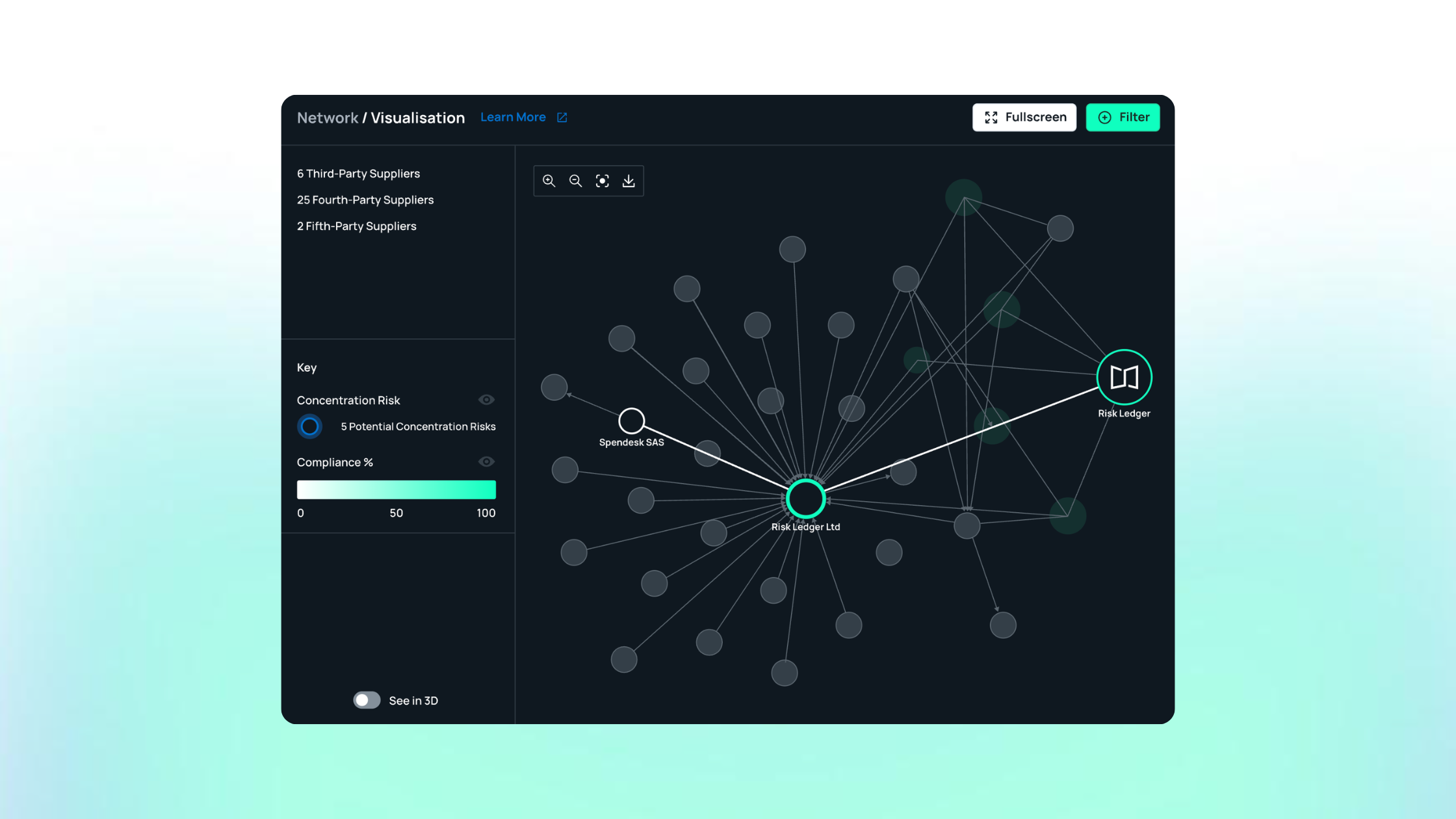
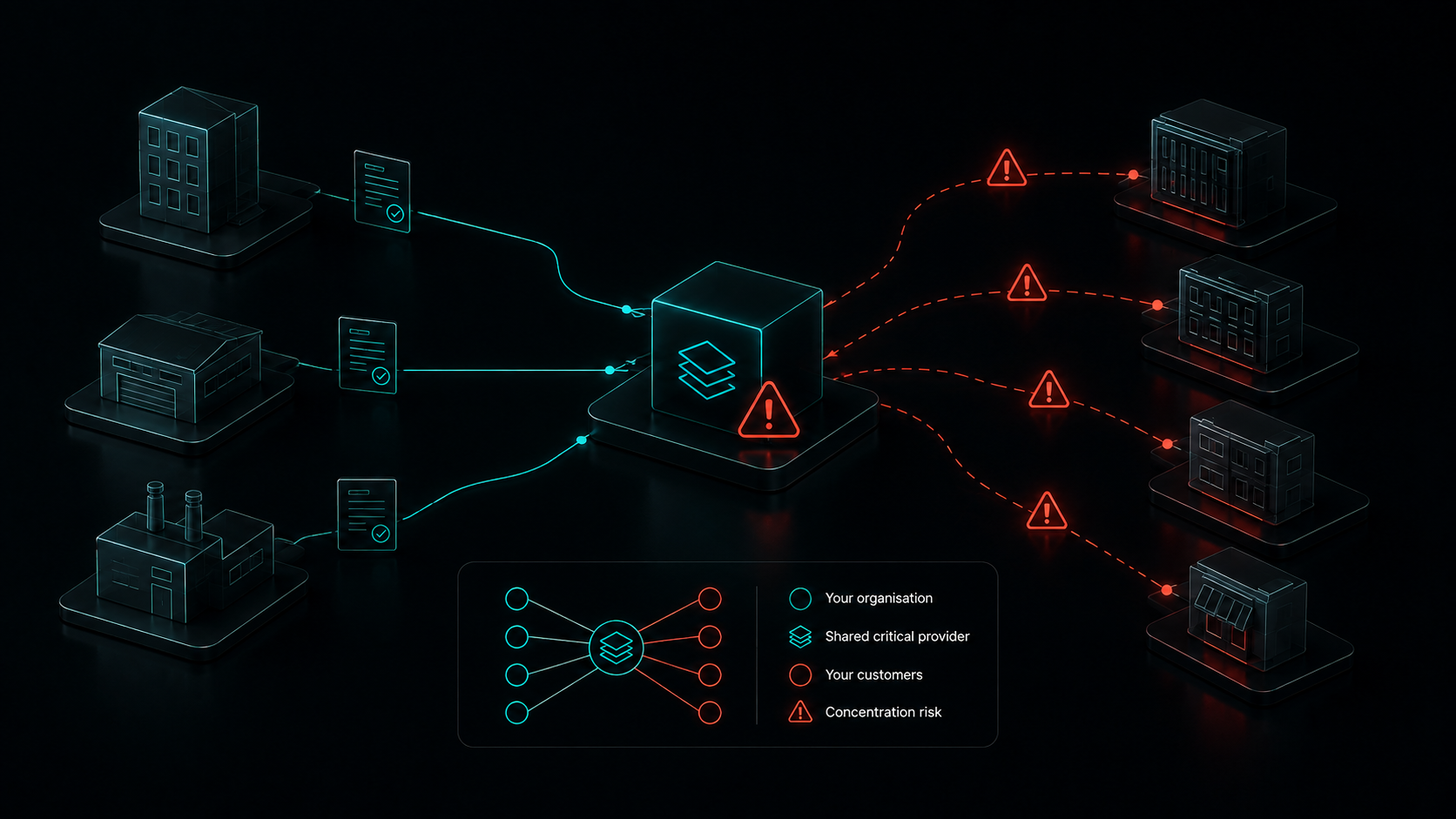
Suppliers also declare the critical providers they rely on, so the same network shows where several of your suppliers depend on one company. When a significant vulnerability emerges, suppliers are asked whether they are affected, and you track their responses in one place.
Strengths
Reusable supplier evidence: Suppliers maintain one profile rather than completing the same assurance work for every customer.
Supplier participation: Customers and suppliers can collaborate directly on evidence, risks and remediation.
Your policies, your decision: Standardised evidence sits alongside customer-specific policies, so two organisations can reach different conclusions about the same supplier.
Nth-party visibility: Teams can examine critical relationships beyond their immediate suppliers.
Concentration-risk insight: Shared dependencies become easier to identify across the supplier portfolio.
Evidence that stays current: Suppliers receive reminders when responses go out of date, and customers see alerts when items such as security certificates expire.
Incident response support: Connected supply chain data helps teams investigate likely exposure when a threat emerges.
Drawbacks
Not a broad enterprise GRC suite: Organisations seeking one platform for privacy, audit, compliance and enterprise risk may prefer a wider suite.
Not a standalone security-rating product: Teams focused mainly on external scanning may need a ratings-led platform.
Standardised rather than unrestricted: Organisations that require completely bespoke questionnaires for every supplier should test whether the framework offers enough flexibility.
Value depends on supplier participation: Suppliers who are slow to join or let profiles go stale still need active follow-up, so check how many of yours already hold current profiles.
What reviewers say
Reviewers most often praise ease of use, reduced duplication and support during onboarding. That support includes help bringing reluctant suppliers onto the platform. Criticisms centre on supplier participation, limited question customisation and setup effort for less technical users. Many reviews come from suppliers completing profiles as well as from the buyers requesting them.
Best use case
Security teams with limited headcount that assess many of the same suppliers repeatedly. They want comparable evidence they can keep current, and they need to understand where suppliers share critical dependencies.
Consider another platform when
You need one platform for privacy, ethics and compliance as well as security: a multi-domain governance platform such as OneTrust is likely to fit better.
Every supplier must answer your own bespoke question set: a configurable enterprise platform such as ProcessUnity is likely to fit better.
Your main requirement is external ratings across thousands of organisations: a ratings-led platform such as SecurityScorecard or Bitsight is likely to fit better.
OneTrust: Best for cross-functional third-party governance across security, privacy and compliance
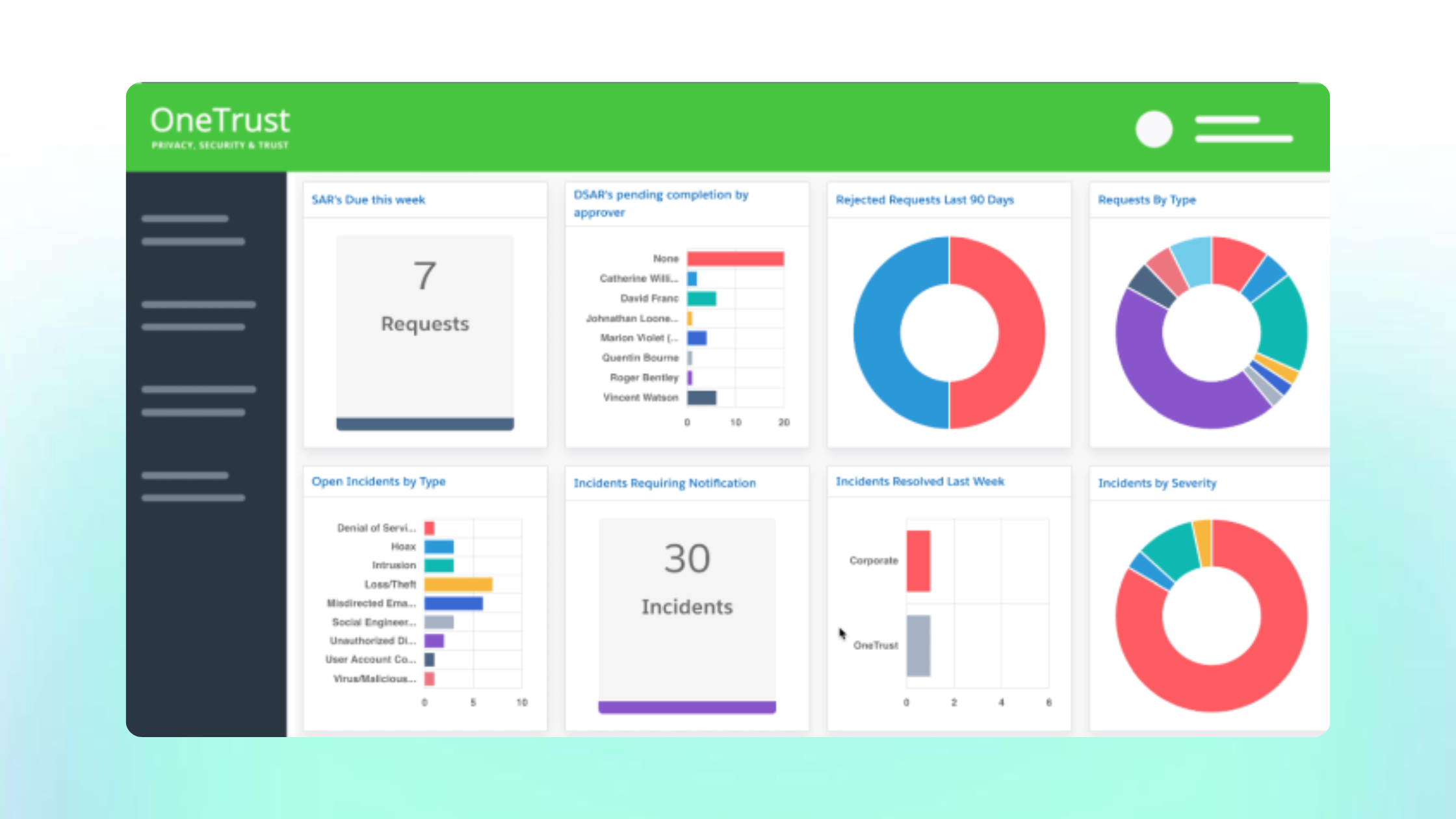
OneTrust Third-Party Management is the third-party risk module within OneTrust's wider governance platform. It suits organisations that want security, privacy, ethics and compliance reviews of the same supplier in one workflow.
New suppliers are screened at intake and tiered by risk, and low-risk suppliers can be auto-approved. External cyber ratings come from partner providers rather than OneTrust's own scanning. Ratings and due diligence screening sit in separately licensed products.
Strengths
Multi-domain assessment: Different teams review the same supplier from one shared record.
Risk-based tiering: Intake screening sets assessment depth, and low-risk suppliers can be auto-approved.
Due diligence screening: Sanctions, watchlist and adverse media checks are available through an integration.
Drawbacks
Packaging affects capability: Confirm which modules and data feeds your plan includes.
Configuration overhead: The breadth of the platform needs more setup and ownership than a security-led programme may want.
Learning curve: Reviewers describe the interface as difficult to navigate at first.
Dependency visibility: We found no public documentation of fourth-party dependency mapping, so test this directly if you need it.
What reviewers say
Reviewers value centralising third-party risk alongside other OneTrust modules, and varying questionnaires by risk level. Criticism focuses on the interface.
Best use case
Larger organisations where privacy, compliance and security teams all review suppliers and want one approval process.
Consider another platform when
Your programme is security-led and assesses the same suppliers repeatedly: a platform built around reusable supplier evidence is likely to fit better.
External monitoring across a large portfolio is your priority: a ratings-led platform is likely to fit better.
ProcessUnity: Best for mature programmes that need configurable, multi-domain TPRM workflows
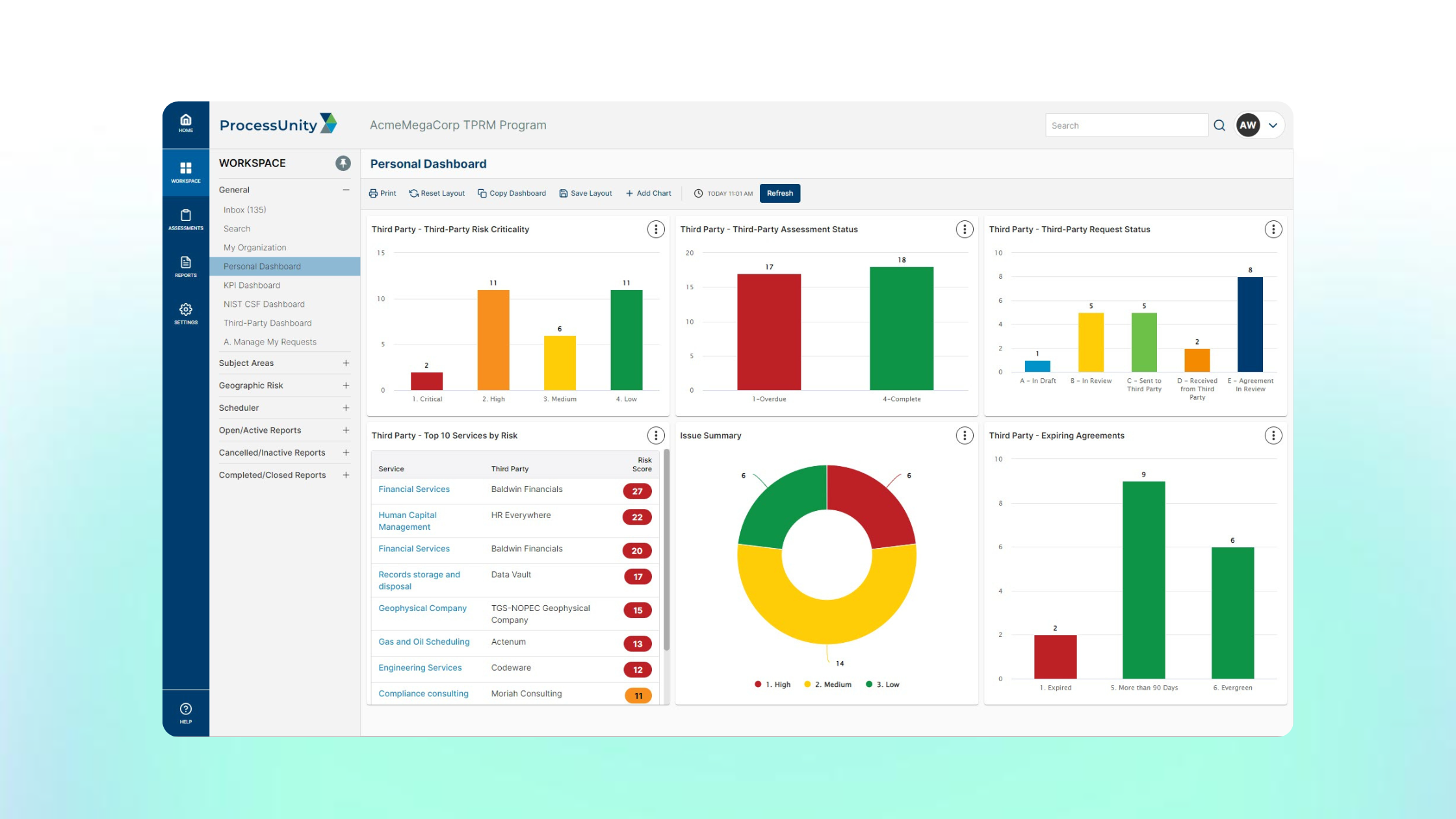
ProcessUnity is a dedicated enterprise TPRM platform built around configurable workflows. It suits mature programmes with an established methodology and the people to own its configuration.
Teams design their own intake, assessment, approval and remediation processes. A separately subscribed Global Risk Exchange, formerly CyberGRX, gives access to completed, attested supplier assessments, so some suppliers don't need assessing from scratch.
Strengths
Configurable workflows: Each stage of the third-party lifecycle can be tailored to your own methodology.
Existing assessments: The exchange provides attested assessments for suppliers that have already completed one.
Lifecycle automation: Questionnaires, evidence requests, scoring and reviews can be automated across large supplier populations.
Drawbacks
Configuration ownership: Flexibility needs implementation planning and ongoing administration, which a lean team may struggle to sustain.
Separate subscriptions: The exchange is subscribed separately, so check how many of your suppliers it covers before relying on it.
Dependency mapping is packaged separately: Fourth-party mapping is documented as part of a separate threat and vulnerability product, so confirm what your plan includes.
What reviewers say
Reviewers praise how far the platform can be adapted to their programme. Some say workflow design needs careful planning and system knowledge, while others report a quick implementation.
Best use case
Enterprise TPRM teams with dedicated programme resources that need detailed control over assessments, approvals and governance.
Consider another platform when
Your team is small and wants to start quickly: a platform with a standardised assessment model is likely to need less configuration.
External monitoring is your main requirement: a ratings-led platform is likely to fit better.
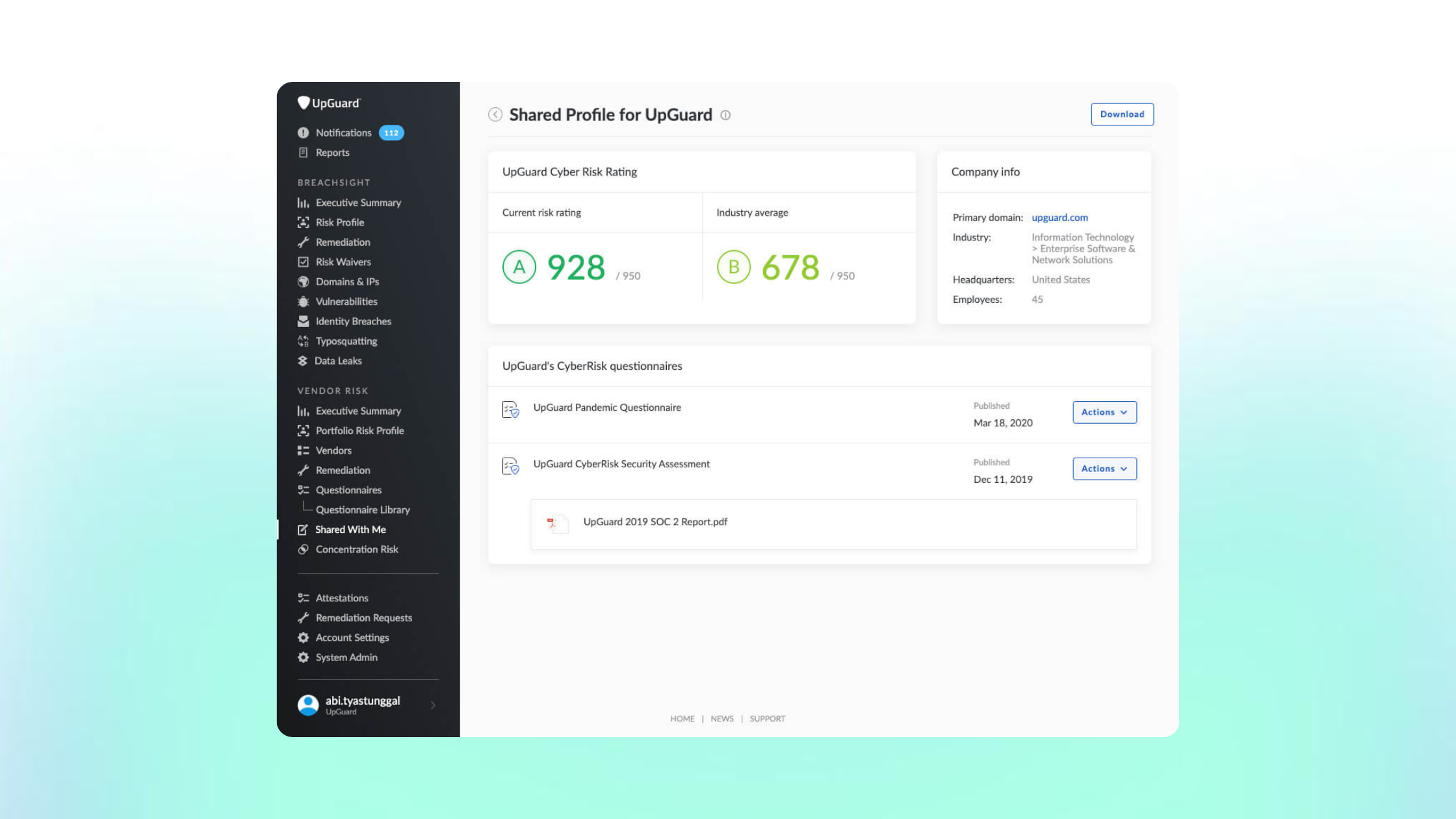
UpGuard: Best for cyber teams that want external monitoring and automated assessments in one workflow
UpGuard Vendor Risk is a monitoring-led TPRM platform that combines security ratings with questionnaires and assessment workflows. It suits cyber teams that want continuous external visibility and assessment evidence in the same place.
UpGuard scans each supplier's internet-facing assets to produce a security rating and a list of failed controls. Questionnaires, uploaded documents and remediation requests then sit alongside those findings. Suppliers can create a free account and a shared profile to answer requests from several UpGuard customers.
Strengths
Continuous external monitoring: Ratings and failed control checks update between assessments.
Assessment automation: AI document analysis and a questionnaire library speed up evidence review.
Managed assessments: UpGuard analysts can assess suppliers on your behalf.
Drawbacks
External findings need validation: Scan results can be misattributed or lack context, so plan for supplier clarification and risk waivers.
Fourth-party views are discovered, not declared: Dependency data is inferred from scanning rather than confirmed by suppliers.
Packaging affects capability: Fourth-party visibility sits in higher pricing tiers, and monitoring is priced by vendor count.
What reviewers say
Reviewers value usability, assessment automation and centralised reporting. Some want more flexible scoring and workflows, or raise asset attribution and package costs.
Best use case
Security teams that want outside-in monitoring across a sizeable supplier portfolio, with questionnaires and remediation in the same tool.
Consider another platform when
Most of your supplier evidence needs to come from suppliers rather than scanning: a platform built around supplier-maintained evidence is likely to fit better.
You need multi-domain governance beyond security: a broader governance platform is likely to fit better.
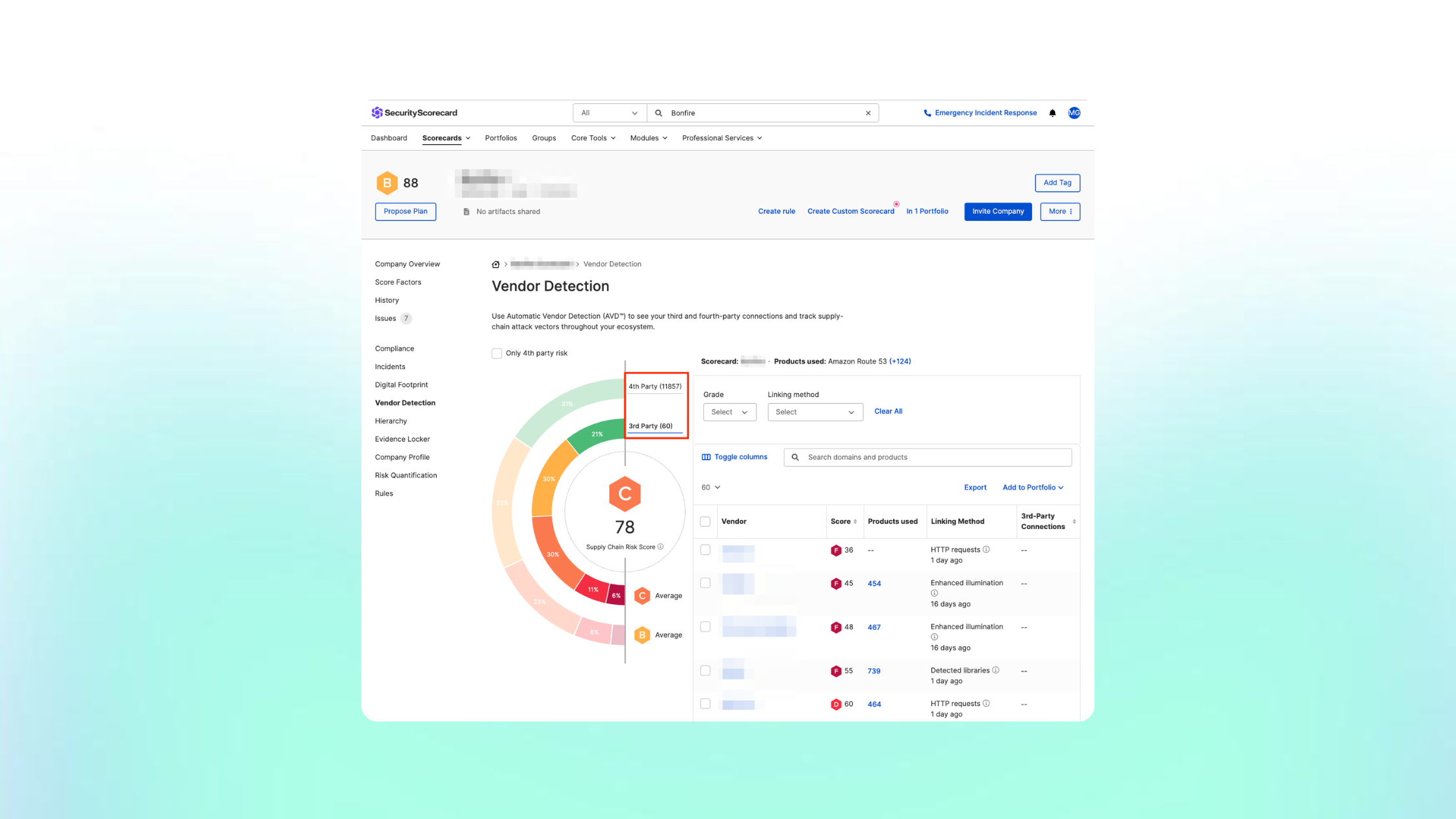
SecurityScorecard: Best for portfolio-level cyber visibility with threat-informed assessment
SecurityScorecard is a security ratings and threat intelligence platform with third-party risk workflows built around it. It suits teams that need a consistent external view of cyber risk across a large supplier portfolio.
Each supplier receives a rating based on externally observable signals, such as patching cadence, DNS health and exposed services. Questionnaires, automatic vendor detection and remediation workflows sit on top of those ratings. A managed service is also available for teams that want SecurityScorecard to run part of the programme.
Strengths
Portfolio-level ratings: Dashboards make it quick to compare suppliers and spot deteriorating posture.
Threat intelligence: Findings are linked to active threat data rather than shown as isolated scan results.
Collaborative remediation: Findings can be shared with suppliers and tracked to resolution.
Drawbacks
False positives and attribution: Reviewers report findings attributed to assets a supplier doesn't own, so plan for validation and disputes.
Limited context on score changes: Reviewers say it isn't always clear why a rating has moved.
External view only by default: Ratings show what is observable from outside, so internal controls still need supplier evidence.
Discovered dependencies: Fourth-party connections are inferred from external data rather than declared by suppliers.
What reviewers say
Reviewers praise the dashboards, ease of use and support. Criticism centres on false positives, unclear score changes and limited reporting flexibility.
Best use case
Security teams monitoring many suppliers that need fast external signals to decide where deeper assessment is warranted.
Consider another platform when
You need evidence of internal controls more than outside-in signals: a platform built around supplier-provided evidence is likely to fit better.
Your programme spans privacy, ethics and compliance as well as security: a broader governance platform is likely to fit better.
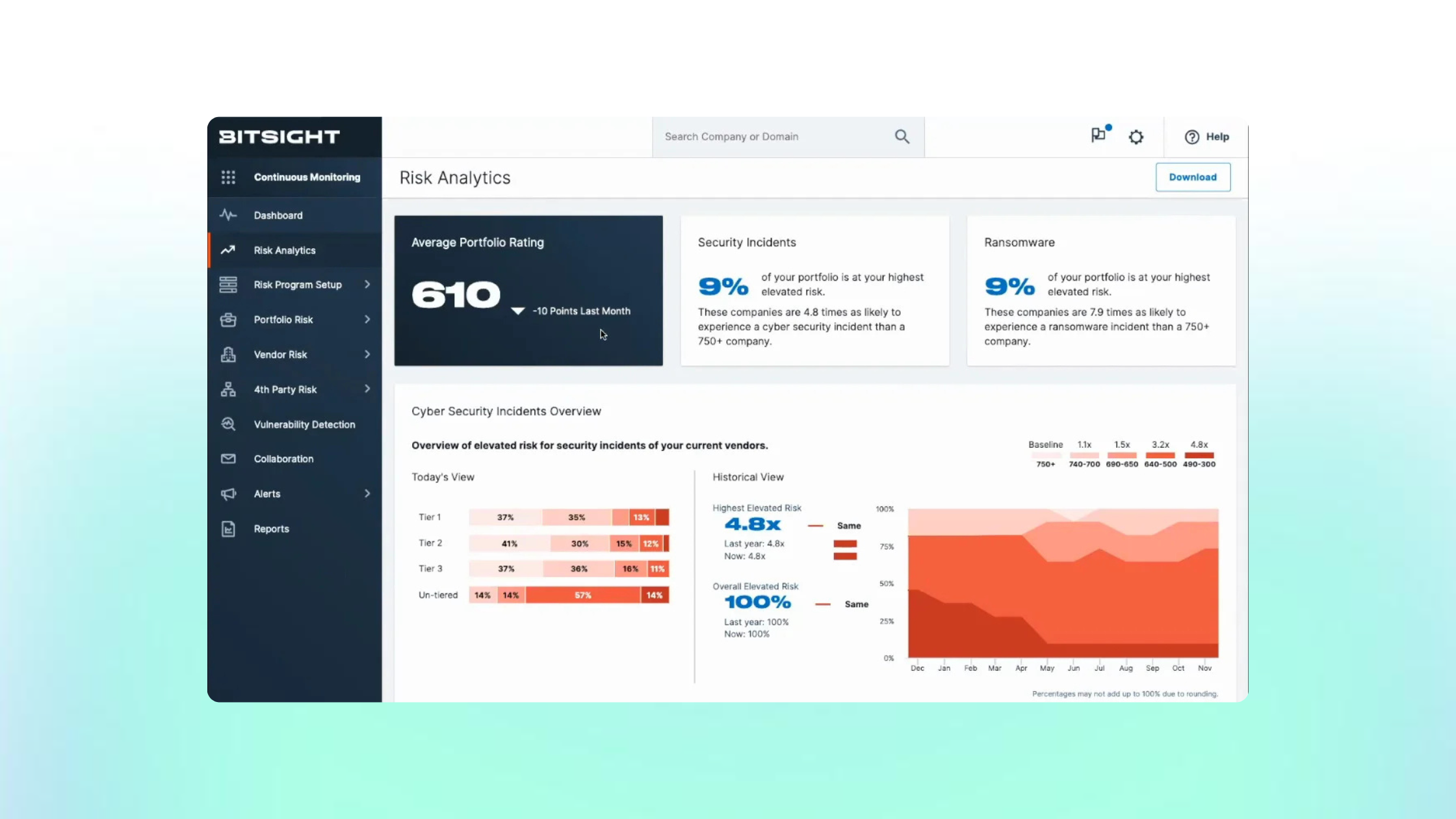
Bitsight: Best for enterprise cyber programmes that prioritise ratings and external intelligence
Bitsight is a cyber risk intelligence platform that adds vendor risk management workflows to its security ratings. It suits enterprise programmes that want continuous external monitoring and vendor assessments within the same suite.
Bitsight rates suppliers on externally observable security signals and flags those exposed to newly disclosed vulnerabilities. Its vendor risk management product handles assessments, evidence collection and onboarding. A vendor-profile network lets some suppliers share information that has already been collected. Monitoring, vendor risk management and fourth-party discovery are offered as separate products within the suite.
Strengths
Clear ratings: Reviewers find the ratings easy to understand for quick assessment and benchmarking.
Vulnerability exposure: Suppliers likely to be affected by a newly disclosed vulnerability can be identified quickly.
Assessment workflows: Automated vendor assessments and a vendor-profile network sit alongside the monitoring data.
Drawbacks
Several products to combine: Monitoring, vendor risk management and fourth-party discovery are licensed separately, so confirm which combination you need.
Discovered dependencies: Fourth-party relationships are mapped from suppliers' technology stacks rather than declared by suppliers.
Timeliness and coverage: Some reviewers report delays in vulnerability updates and findings that don't cover every asset.
Getting suppliers to act: External findings still depend on suppliers agreeing to fix them.
What reviewers say
Reviewers value the clarity of the ratings, the depth of risk scanning and responsive support. Criticism focuses on delayed updates, gaps in asset coverage and the effort needed to get suppliers to address findings.
Best use case
Enterprise security teams that rely on external ratings across a large supplier portfolio and want vendor assessments in the same suite.
Consider another platform when
Supplier-provided evidence of internal controls is your main need: a platform built around supplier-maintained evidence is likely to fit better.
You want one product rather than a combination of modules: a single dedicated TPRM platform may be simpler to buy and run.
Panorays: Best for combining supplier assessments with attack-surface findings
Panorays is a hybrid TPRM platform that combines supplier questionnaires with external attack-surface assessment. It suits teams that want supplier-provided evidence and outside-in findings in the same workflow.
Each supplier receives a score that combines questionnaire responses, externally observed security posture and the business context of the relationship. Panorays also discovers nth-party connections and shows the evidence of how each relationship was detected. When a major incident emerges, it can send targeted incident-response questionnaires to suppliers.
Strengths
Combined evidence: Questionnaire answers and external findings sit in one view for each supplier.
Contextual scoring: Scores reflect the relationship's business context as well as technical findings.
Discovery evidence: Discovered nth-party relationships show how each connection was identified.
Drawbacks
Discovered dependencies: Nth-party relationships are inferred from external data rather than declared by suppliers.
External findings need validation: Scan results may need supplier input before their relevance is clear.
Workflow fit: Reviewers note it may not match every team's specific process.
Service-level mapping: Test how discovered dependencies connect to your own business services and concentration analysis.
What reviewers say
Reviewers highlight ease of use, automated assessments and a centralised view of vendor risk. Some say it doesn't fully fit their particular workflow needs.
Best use case
Security teams that want questionnaires and continuous external monitoring together, with business context built into supplier scores.
Consider another platform when
Suppliers you assess repeatedly could maintain one reusable record: a platform built around supplier-maintained evidence is likely to fit better.
Your programme covers privacy, ethics and compliance as well as security: a broader governance platform is likely to fit better.
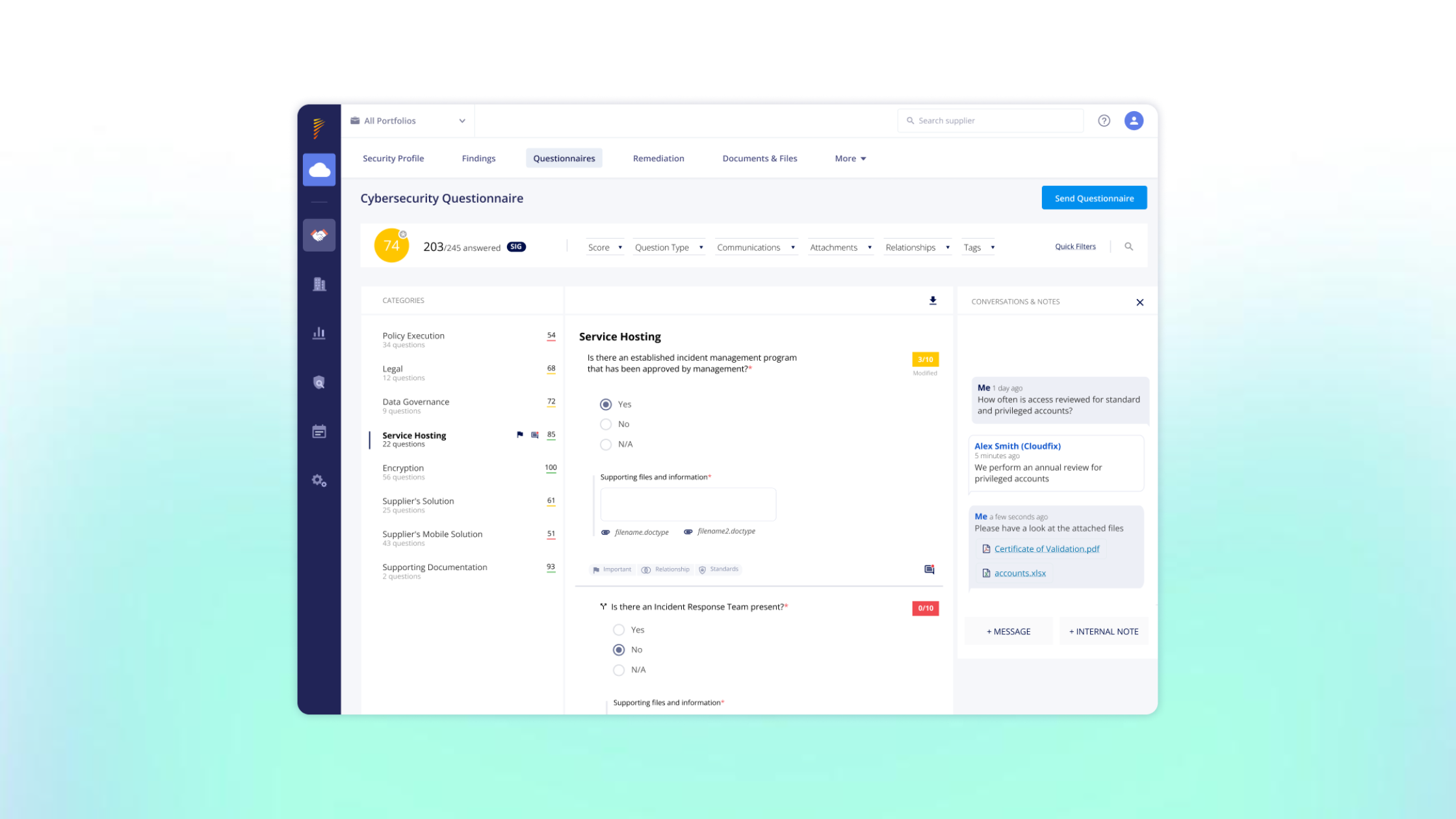
Vanta: Best for automated vendor reviews alongside compliance and trust workflows
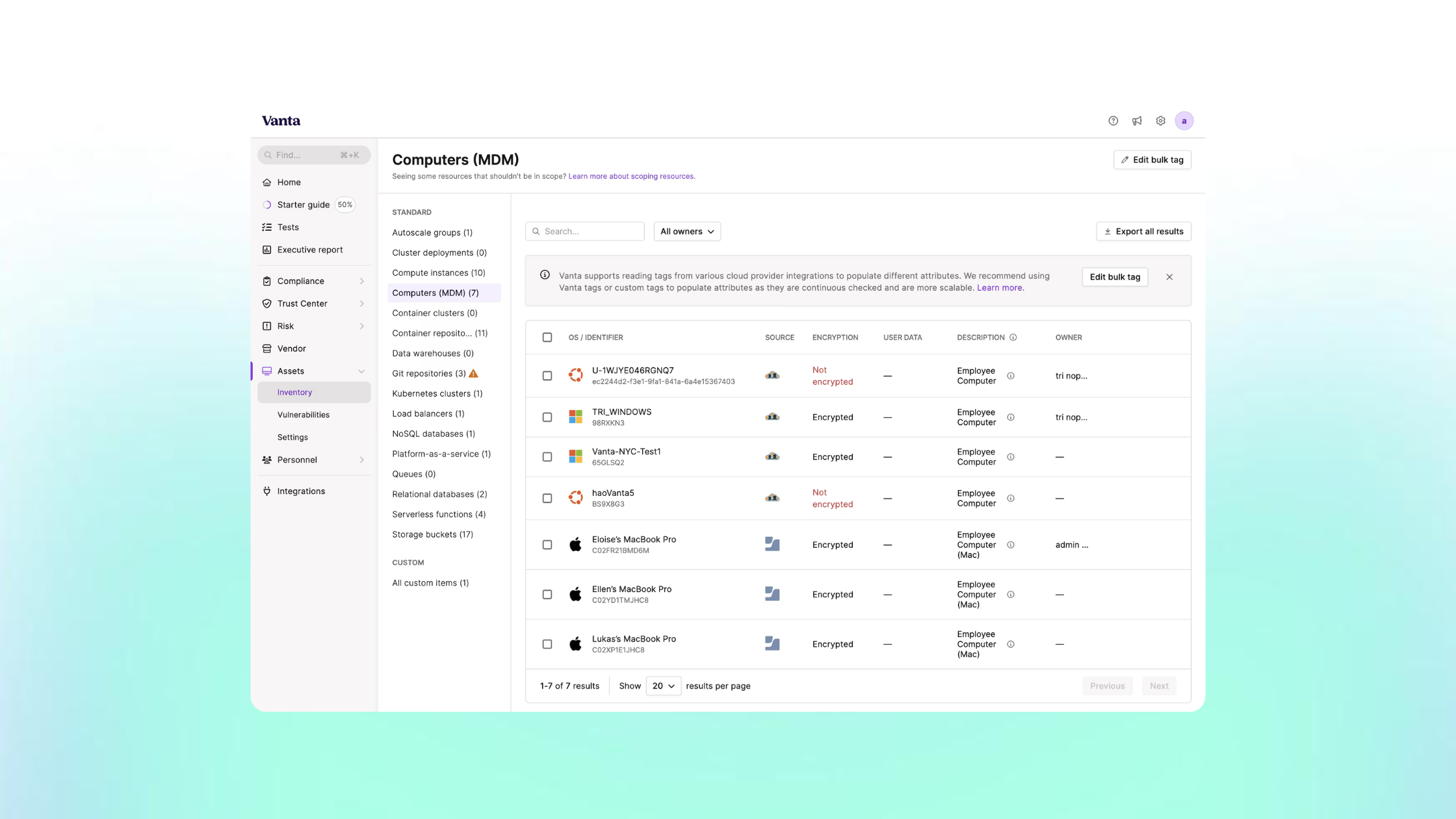
Vanta approaches third-party risk management through its wider compliance and trust platform. It helps teams discover vendors, centralise security reviews and manage third-party evidence alongside audit work.
It is most likely to suit SaaS and technology organisations already using Vanta for compliance. Security teams prioritising reusable supplier evidence, active supplier participation or nth-party visibility should test whether its vendor-risk depth meets their needs.
Strengths
Vendor discovery: Vendors in use, including ones adopted without central approval, surface through connected systems.
AI-assisted reviews: Findings are extracted from vendor documents, reducing manual reading.
Compliance alignment: Vendor reviews sit in the same platform as audit and compliance evidence.
Drawbacks
Document-led evidence: Reviews rely mainly on documents and published trust information, so external validation may need another source.
Depth for complex relationships: Test how well it handles critical suppliers delivering several services with different risk levels.
Dependency visibility: Confirm how far fourth-party and concentration analysis goes before relying on it.
What reviewers say
Most Vanta reviews cover the wider compliance platform rather than vendor risk management specifically. Reviewers consistently praise how it simplifies compliance work, but TPRM-specific feedback is limited.
Best use case
Technology and SaaS organisations that want efficient vendor security reviews connected to their own compliance programme.
Consider another platform when
Supplier risk is your main programme, not part of compliance: a dedicated TPRM platform is likely to offer more depth.
You need continuous external monitoring across many suppliers: a ratings-led platform is likely to fit better.
Other TPRM tools buyers evaluate
Several enterprise GRC and integrated risk platforms also include a third-party risk module. They tend to suit organisations that want supplier risk to share a data model with enterprise, operational and compliance risk, rather than programmes led by the security team.
Archer: An enterprise GRC platform with third-party risk as one module alongside operational risk, audit and compliance.
MetricStream: An enterprise GRC platform with a dedicated third-party risk module, aimed at organisations integrating vendor risk with wider compliance and operational risk.
LogicGate: A configurable, low-code risk and compliance platform where teams build their own third-party risk workflows.
Riskonnect: An integrated risk platform where third-party risk sits alongside safety, claims and insurance. It is more often relevant to operational risk teams than to security teams.
Which TPRM software fits your programme?
The right TPRM software depends on your programme's capacity, maturity and supplier mix more than on your organisation's size. Start with the situation that best describes your team, then prioritise the capabilities that remove its biggest bottleneck. Use the operating models in this guide to narrow the shortlist before comparing individual vendors.
Choosing by programmeWhich TPRM software fits your situation
Your situation
What to prioritise
Operating model to look at first
Starting a programme with limited resources
What to prioritiseSupplier inventory, criticality tiering, proportionate reviews and simple supplier onboarding. Check whether existing tools are enough before buying.
What to prioritiseProportionate assessments, accessible onboarding for small and non-IT suppliers, a clear handoff from procurement to security, and recurring costs you can sustain.
Operating model to look at firstStandardised assessment model with supplier support
No capacity to run reviews in-house
What to prioritiseManaged assessment services as well as software.
Operating model to look at firstPlatforms offering managed assessments, or a separate service provider
Organisation size is a weak guide to which platform fits. A large financial or public-sector organisation can still have one or two people running supplier assurance part-time, while a smaller technology firm may have a dedicated team. Programme capacity tells you more. It means how many people can review evidence, chase suppliers and administer a platform, and how much of that work the software actually removes.
Two other patterns come up repeatedly in buyer conversations. The first is assurance that is strong at procurement but thin once the contract is signed. Test any platform on what happens after approval, not only on how quickly it onboards a supplier. The second is a single supplier delivering several services with very different risk. Check that the platform can record separate criticality, data access and decisions for each engagement with the same company.
Managed services change the equation in one specific way. Automating evidence collection reduces chasing, but someone still has to judge whether the evidence is good enough. If nobody on your team has time for that, compare managed assessments alongside the software itself.
Best third-party risk management software for enterprise programmes
The best TPRM software for an enterprise programme is a platform your team can configure to its own methodology and keep administering after go-live. Configurable enterprise TPRM platforms such as ProcessUnity, and multi-domain governance platforms such as OneTrust, are built for this. Broader GRC suites with a third-party module suit organisations that want supplier risk on a shared risk taxonomy.
Enterprise programmes usually need four things that smaller ones can live without:
Approvals and exceptions: clear workflows for risk acceptance, with a full history behind each decision.
Multi-domain coverage: security, privacy, resilience and compliance reviews of the same supplier.
Permissions: separate access for business units, regions and procurement.
Integrations: connections to the systems where risk, procurement and incidents are already managed.
The capability that decides success is often administration rather than features. A highly configurable platform rewards teams that have someone to own its configuration, change control and reporting. Without that person, the configuration drifts and the workflows stop matching how the programme actually runs.
Enterprise TPRM doesn't have to mean replacing what you already use. One public-sector organisation we've seen directly keeps its risk register and risk management workflows in ServiceNow. It uses Risk Ledger only for supplier assurance evidence. Evidence collection and risk governance sit in different systems, connected through the organisation's own process, and each system does the job it is best at.
Before shortlisting, ask each vendor three questions:
Can you demonstrate your approval and exception workflow end to end with your own data?
Who will administer the configuration once implementation finishes?
Is each integration you need native, built on an API, or custom work?
Large organisations sometimes have small TPRM teams. If yours is one or two people, the lean security team guidance below is likely to fit better than this section.
Best TPRM software for lean security teams
The best TPRM software for a lean security team is the one that removes the most repeated collection work from the suppliers you actually assess. That usually means a platform built on reusable evidence, either a connected supplier network or shared vendor profiles. The test that matters is how much of your own supplier list it already covers.
Many large organisations run supplier assurance with one or two people, often alongside other security work. The workload grows from three sources:
sending questionnaires that suppliers have already answered for someone else
chasing the suppliers who don't reply
reconciling answers that arrive in different formats
Evidence reuse addresses the first and third. Supplier participation decides the second.
A vendor saying "thousands of suppliers on the platform" doesn't tell you much until you test it against your own list. Take your 20 to 30 most critical suppliers and ask each vendor four questions:
How many are listed?
How many have a completed profile or assessment?
How many of those were updated recently?
How many could you use against your own criteria today?
Each number is usually smaller than the one before it. The last one is what reduces your workload in the first month, and it varies widely between platforms and sectors.
Reuse reduces collection, not judgement. Someone still has to review the evidence against your policies, follow up on gaps and decide what's acceptable. A platform that lets you review by exception helps here, by surfacing failed controls, changed answers and expired documents rather than full assessments.
For suppliers who won't take part, check what evidence the platform can still give you. That could be external findings, public certifications, or a lighter proportionate assessment.
Best TPRM software for continuous monitoring
Continuous monitoring in TPRM software means tracking changes in supplier risk between formal assessments. Platforms monitor four different things, each from a different source. The right choice depends on which of those changes your programme most needs to catch.
Continuous monitoringFour things TPRM platforms monitor
External monitoring
What it tracksInternet-facing assets, vulnerabilities, ratings and exposures
Typical sourceScanning and threat intelligence
Evidence monitoring
What it tracksChanged answers, expiring certificates, outdated documents and controls
Typical sourceSupplier-maintained records
Dependency monitoring
What it tracksNew or changed subcontractors, shared providers and concentration
Typical sourceSupplier declarations or technical discovery
Incident coordination
What it tracksWhich suppliers are affected by an event, and what they are doing about it
Typical sourceTargeted requests and supplier responses
Ratings-led platforms are strongest on external monitoring. Platforms built on supplier evidence are strongest on evidence monitoring. Most platforms cover more than one type, but rarely all four to the same depth.
Log4j shows why the distinction matters. When the vulnerability was disclosed in December 2021, external scanning could flag suppliers running exposed internet-facing services. It could not show whether a supplier used the library inside internal systems that handled your data. Only the supplier could confirm that. Teams that could send one targeted request to every relevant supplier, and track the answers in one place, got a usable picture of their exposure. Teams relying on scanning alone saw part of it.
For each platform, ask four questions:
What exactly is monitored?
How often is it checked?
Where does the data come from?
What happens when something changes?
More alerts don't mean better monitoring. A platform that generates findings faster than your team can triage them adds work, so test signal quality and how alerts route into remediation, not just coverage.
Best TPRM software for supply chain and fourth-party visibility
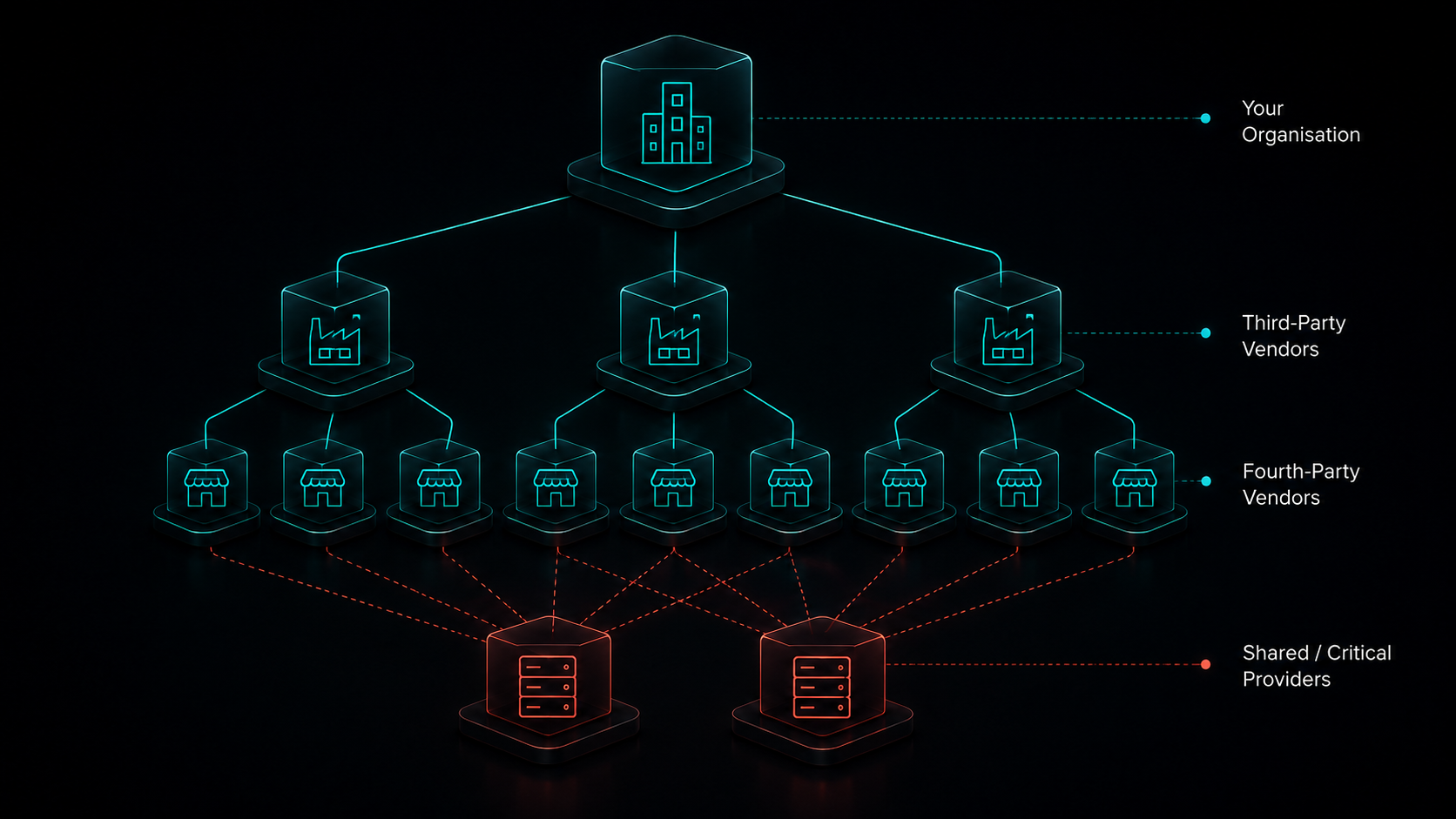
Fourth-party visibility in TPRM software means seeing the suppliers your suppliers depend on, and where several of them rely on the same provider. Platforms build this view either from supplier declarations or from technical discovery. The best fit depends on which dependencies matter to your critical services and how far you can trust the source.
This view is most useful once the basics are in place. If you don't yet have a supplier inventory and a view of which suppliers are critical, start there. Dependency data only becomes meaningful when you know which of your services it affects.
Fourth-party visibilityWhere dependency data comes from
Source
How it's identified
Good at
What to check
Supplier-declared
How it's identifiedSuppliers list the critical providers they rely on
Good atRelationships with no external footprint, such as internal software, outsourced operations and physical supply
What to checkHow declarations are kept current, and what happens when a supplier doesn't declare
Technically discovered
How it's identifiedScanning of internet-facing infrastructure, DNS records and technology in use
Good atBroad coverage without supplier effort, including suppliers that won't take part
What to checkAttribution accuracy, and whether a discovered technology is actually used for your service
Public-data-derived
How it's identifiedPublished subprocessor lists, terms of service, filings and other public records
Good atDocumented relationships for larger or regulated suppliers
What to checkHow often the data is refreshed, and gaps for smaller suppliers that publish little
Two further checks for any source: whether a relationship has been confirmed or is only inferred, and whether it applies to the service you buy or to the supplier in general.
The source of a dependency matters more than whether a platform lists fourth parties at all. Neither source gives a complete picture on its own.
Supplier declarations capture relationships that scanning can't see. They depend on suppliers declaring accurately and keeping the list current.
Technical discovery works without supplier effort. It can miss dependencies that leave no external footprint, or link a supplier to technology it doesn't actually use for your service.
Risk Ledger, for example, builds its dependency view from supplier declarations. Ratings-led platforms typically discover relationships from external data.
The CrowdStrike outage in July 2024 shows the difference. A faulty update to CrowdStrike's endpoint software caused Windows systems to crash at organisations around the world, including many that had no direct contract with CrowdStrike. Endpoint security software runs inside a supplier's own estate and leaves little external footprint. Organisations that knew which suppliers ran it, because the suppliers had said so, could identify their exposure much faster.
Concentration is where this data pays off. A supplier can look low-risk to each customer individually and still be critical in aggregate, because many of your other suppliers depend on it. When you test a platform, ask it to show three things:
the source of each dependency, and whether it has been confirmed
which of your services the dependency affects
where several of your suppliers converge on one provider
Best TPRM software for smaller organisations and new programmes
The best TPRM software for a new or smaller programme is one your team can run without dedicated administration. It should also be one your suppliers can complete without much support. Before comparing platforms, build a supplier inventory and decide which suppliers are critical. The software only helps once you know which suppliers deserve attention first.
Starting a programmeFirst steps before choosing a platform
1
List your suppliersBuild an inventory of who you buy from and what each supplier does for you.
2
Find the critical fewAsk whether each supplier handles your data, accesses your systems or could stop a service you deliver.
3
Assess them properlyStart with your five to ten most critical suppliers rather than a light check of everyone.
4
Hand risks to their ownersAgree who in the business owns each supplier relationship and decides on remediation or acceptance.
Most new programmes don't need to assess every supplier. Start with a short set of tiering questions:
Does the supplier handle your data?
Does it have access to your systems?
Would its failure stop a service you deliver?
Those answers usually narrow the list to five or ten critical suppliers. Assessing that small group properly gives you more assurance than a light check of everyone. It also shows you how much time and effort a full assessment takes.
Then decide who owns the risks you find. Security teams surface control gaps, but the business owner of each supplier relationship is usually the person who can push for remediation or accept the risk. Agreeing that handoff early stops findings from sitting unresolved.
A platform may not be the first purchase. If you have a handful of critical suppliers and someone to track them, a structured spreadsheet and a standard questionnaire can work for a while. The case for software gets stronger when:
you're chasing the same suppliers every year
answers arrive in different formats
you can't tell which evidence has gone out of date
When you do compare platforms, weight four things above advanced features:
Time to first assessment: how quickly you can assess your critical suppliers.
Supplier effort: how easily small suppliers can complete it.
Cost: whether pricing scales down to your supplier volume.
Remaining work: how much work stays with your team after automation.
Questions to ask TPRM vendors before you shortlist
The most useful TPRM vendor evaluation asks each vendor to demonstrate its platform with your own supplier data, not to answer yes or no in a questionnaire. The 15 questions below cover the areas where TPRM platforms differ most in practice. They give you the same basis for comparing every vendor on your shortlist.
Vendor evaluation15 questions to ask TPRM vendors
Area
Ask the vendor to show you
What a good answer looks like
1Coverage
Ask the vendor to show youWhich of your suppliers already have usable evidence on the platform today
What a good answer looks likeListed, completed and current suppliers counted separately, using your list
2Reuse
Ask the vendor to show youWho maintains shared evidence, who can access it and how updates reach you
What a good answer looks likeClear ownership, supplier-controlled sharing and automatic notification of changes
3Freshness
Ask the vendor to show youDocument expiry, answer changes, review history and overdue attestations
What a good answer looks likeDates on every item and alerts when evidence goes out of date
4Proportionality
Ask the vendor to show youDifferent assessment paths for a critical cloud provider and a small supplier handling sensitive data
What a good answer looks likeAssessment depth set by criticality, without a separate process to build for each
5Relationship context
Ask the vendor to show youTwo services from the same supplier with different requirements and decisions
What a good answer looks likeSeparate criticality, data access and decisions recorded per engagement
6Non-participation
Ask the vendor to show youWhat you can still assess when a supplier won't join or answer
What a good answer looks likeA fallback, such as external findings, public certifications or a lighter assessment
7Monitoring
Ask the vendor to show youWhat is monitored, how often, from which source and what triggers action
What a good answer looks likeSpecific answers for each type of monitoring, not a general “continuous” claim
8Attribution
Ask the vendor to show youHow assets and findings are confirmed, disputed and corrected
What a good answer looks likeA visible dispute process that suppliers can use, with corrections reflected quickly
9Dependencies
Ask the vendor to show youThe source, confidence and freshness of a fourth-party relationship, and its link to your service
What a good answer looks likeDeclared or discovered status shown, with the affected service identified
10Remediation
Ask the vendor to show youA finding taken through clarification, assignment, mitigation, acceptance and closure
What a good answer looks likeOne record from finding to decision, with the supplier involved throughout
11AI
Ask the vendor to show youSource evidence behind AI outputs, human approval, overrides and handling of confidential documents
What a good answer looks likeEvery AI finding traceable to its source and approved by a person
12Integrations
Ask the vendor to show youYour required workflow running end to end across your existing systems
What a good answer looks likeNative connectors, APIs and custom work clearly distinguished
13Operating effort
Ask the vendor to show youThe work that stays with your analysts, administrators and procurement team
What a good answer looks likeA realistic estimate of ongoing effort, not just setup time
14Commercial scope
Ask the vendor to show youA price for your real supplier mix, monitoring needs, modules, data feeds and support
What a good answer looks likeRecurring and one-off costs separated, with no essential capability left out
15Exit
Ask the vendor to show youWhat you can export, in which format, with what history and evidence
What a good answer looks likeA full export of records, decisions and evidence in a usable format
A demo shows you what a platform can do. A pilot shows you what it does with your suppliers. Build a pilot group of six or so suppliers that tests the situations most likely to cause problems:
suppliers the platform already covers
new suppliers it doesn't
a supplier that is slow or unwilling to respond
a small supplier with limited security resource
a supplier delivering several services with different risk levels
a provider that several of your suppliers depend on
Measure how long it takes to reach a decision you could defend to an auditor or your board. Time to send an invitation is a much weaker measure. Then note what your team still had to do by hand, because that is the workload you will carry after go-live.
Interactive scorerScore your vendor demosName up to three vendors, then rate how well each one demonstrated the 15 questions above. Set an importance for each question to reflect your own programme. Scores update as you go, and nothing you enter is saved or sent anywhere.Rating: 0 = not shown, 1 = partly shown, 2 = clearly shown with your data. Importance: low counts once, normal twice, high three times. Questions you leave unrated are left out of the score.Your shortlist
Rate each questionResults
Scores reflect your own ratings. Use them to structure the conversation with each vendor, and look closely at the questions rated 0.
Who Risk Ledger is best suited to, and how we work
We built Risk Ledger for security teams that assess many of the same suppliers repeatedly and need to see where those suppliers share critical dependencies. Suppliers maintain one standardised profile, and each customer applies its own policies. The connected network then shows dependencies and exposure to emerging threats across your supply chain.
How it works
Suppliers complete one assessment. It uses a standardised framework that maps to standards including ISO 27001, NIST CSF, NCSC CAF and Cyber Essentials.
You review against your own policies. Many suppliers will already have a profile. Where your policies don't apply to a supplier, you can mark individual controls as exempt or ask for more information.
Gaps become tracked risks. Non-compliance with your policies is flagged, and you can open a risk and request remediation from the supplier on the platform.
Evidence stays current. Suppliers update their profiles as controls change, and you see those changes without waiting for the next annual review.
Dependencies build a map. Suppliers declare the critical providers they rely on, which shows where several of your suppliers depend on one company.
Threats trigger targeted requests. When a major vulnerability emerges, suppliers are asked whether they are affected, and you see their responses in one place.
In practice
Cheshire ConstabularyPublic sector
The challengeThe force wanted to automate its third-party risk management, work more closely with procurement and monitor supplier risk continuously rather than at fixed review points.
What changedSuppliers now complete a standardised assessment that maps to ISO 27001, NIST CSF, NCSC CAF and Cyber Essentials. The team builds reports filtered by policy, tag, risk profile or compliance score, which makes risk assessments and reporting to regulators easier to prepare.
The challengeAs a cloud-first wealth manager with around 200 suppliers, some critical to daily operations, SPW needed an efficient way to manage supplier risk on an ongoing basis.
What changedNon-compliance with SPW's priority criteria is now flagged to procurement automatically. A contract clause requires suppliers to maintain the controls they declare on Risk Ledger, so each profile works as a security schedule that updates as controls change.
If you need one platform for privacy, audit and enterprise risk, a broader governance suite will fit better. The same applies if external ratings are your main requirement, or if every supplier must answer your own bespoke questions. Our profile above sets out these trade-offs in full.
Test it against your suppliersSee how many of your suppliers you can already assessCheck how much of your supplier base already has a profile on Risk Ledger, then talk to us about how we would support your programme.
This combination of reusable evidence, ongoing updates, dependency visibility and coordinated incident response is what we call Active Supply Chain Security.
Key takeawaysWhich TPRM platform fits which programme
Risk Ledger
Best forSecurity teams repeating assessments that need to see shared dependencies
Evidence modelSupplier-maintained profiles, reviewed against your policies
Watch forSupplier participation and limits on bespoke questions
OneTrust
Best forMulti-domain reviews across security, privacy and compliance
Evidence modelConfigurable questionnaires plus partner rating feeds
Watch forSeparately licensed modules and configuration effort
ProcessUnity
Best forMature programmes with their own methodology
Evidence modelConfigurable assessments plus an exchange of attested assessments
Watch forOngoing administration and exchange coverage
UpGuard
Best forCyber teams combining scanning with assessments
Evidence modelExternal scanning plus questionnaires and documents
Watch forAttribution and fourth-party views in higher tiers
SecurityScorecard
Best forExternal visibility across large supplier portfolios
Evidence modelRatings inferred from external signals
Watch forFalse positives and unclear score changes
Bitsight
Best forEnterprise cyber programmes relying on ratings
Evidence modelRatings inferred from external signals plus assessments
Watch forSeveral products to combine
Panorays
Best forAssessments and attack-surface findings together
Evidence modelQuestionnaires plus external scanning
Watch forHow discovered dependencies map to your services
Vanta
Best forVendor reviews within a compliance programme
Evidence modelVendor documents and published trust information
Watch forDepth for complex or critical suppliers
Third-Party Risk Management FAQs
What is the best third-party risk management software?
The best TPRM software depends on your programme's operating model. Risk Ledger suits security teams that repeat assessments and need visibility into shared dependencies. OneTrust and ProcessUnity suit multi-domain or highly configurable enterprise programmes. UpGuard, SecurityScorecard and Bitsight suit monitoring-led cyber programmes. Panorays combines assessments with scanning, and Vanta suits vendor reviews within a compliance programme.
What is the difference between TPRM software and security ratings software?
TPRM software supports the full supplier assurance process, including due diligence, evidence collection, risk decisions, monitoring and remediation. Security ratings software scores suppliers on externally observable cyber signals. Ratings help prioritise which suppliers to look at, but they don't show internal controls or the context of your relationship with each supplier.
What is the difference between TPRM software and GRC software?
TPRM software focuses on assessing and managing risk from suppliers and other third parties. GRC software covers governance, compliance and enterprise risk more broadly, often with third-party risk as one module. A dedicated platform suits security-led programmes, while a GRC suite suits organisations that want supplier risk on a shared enterprise risk taxonomy.
Can TPRM software reduce questionnaire duplication?
Yes. Several platforms let suppliers reuse evidence rather than complete a new assessment for every customer, through connected supplier networks, shared vendor profiles or exchanges of completed assessments. How much it reduces your work depends on how many of your own suppliers already have current evidence on the platform.
Does TPRM software replace security questionnaires?
No. Questionnaires remain the main way to collect evidence about internal controls that can't be observed externally. Good TPRM software makes them proportionate to supplier risk, easier for suppliers to maintain and less repetitive for both sides.
Can TPRM software identify fourth-party risk?
Many platforms show some fourth-party relationships, either from supplier declarations or from technical discovery. Each source misses different things, so test where each dependency comes from, whether it has been confirmed and which of your services it affects.
Which TPRM platforms support continuous monitoring?
Most platforms in this guide monitor something between assessments, but they monitor different things: external attack surface, supplier evidence and expiry dates, dependencies, or supplier responses to incidents. Ask each vendor what is monitored, how often, from which source and what happens when something changes.
Is reused supplier evidence enough for critical suppliers?
Usually not on its own. Shared evidence shortens collection, but a supplier supporting a critical service often warrants questions specific to that relationship, such as the data it handles, the access it holds and its role in your services.
How much does TPRM software cost?
TPRM software pricing varies by vendor and is usually based on supplier count, monitored vendors, users or modules. Some capabilities, such as cyber ratings or fourth-party views, are sold separately. Internal time to run the programme is often the biggest cost. Our guide to choosing third-party risk management software covers total cost in more detail.
Should we buy TPRM software or use a managed service?
Software automates collection, tracking and monitoring, but someone still has to judge whether supplier evidence is acceptable. If your team has no capacity for that review work, compare managed assessment services alongside software. Some platforms offer both.
.png)






.svg)